
Converting GH3 .chart songs for use with Clone Hero
File Extensions
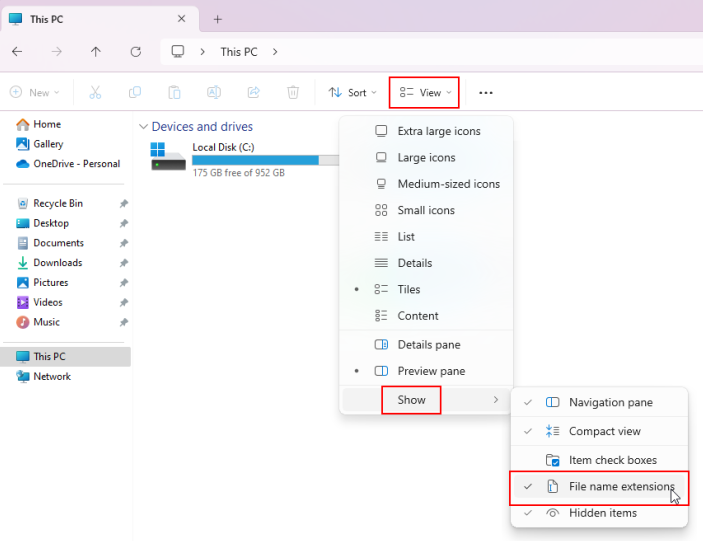
Before you begin - if you're on Windows, enable file extensions if they aren't enabled already, as this will make the process less confusing.
Windows 10

Windows 11
Conversion
- Rename the
.chartfile tonotes.chart.
If you see multiple .chart files, pick the one that has either [F] or [Y] in the name, as this usually denotes that the notes are correctly forced. - Rename the audio file to
songwhile preserving the original file extension (.ogg, .mp3, etc.)
If there are multiple audio files, make sure to rename them appropriately as well. A list of supported stems is available here. - Open Clone Hero and select "Scan Songs" in Settings -> General.
This will generate an additionalsong.inifile containing the song's metadata in the folder with the rest of the files.
The metadata should get copied from the remaining .chart file. If it doesn't, you can also copy one from a working song and replace the info, or create one manually. A list of supportedsong.initags can be found on this page.
When making any metadata changes, you need to scan songs again to apply them in-game.